
Heat Edge
Heat-map rim · RGB splitA thermal camera sees heat, not light, and paints it in false color. Heat Edge treats the bright parts or the shape of your picture as something hot, with a burning rim, a glow that spills off the edges and the readouts of a thermal camera.

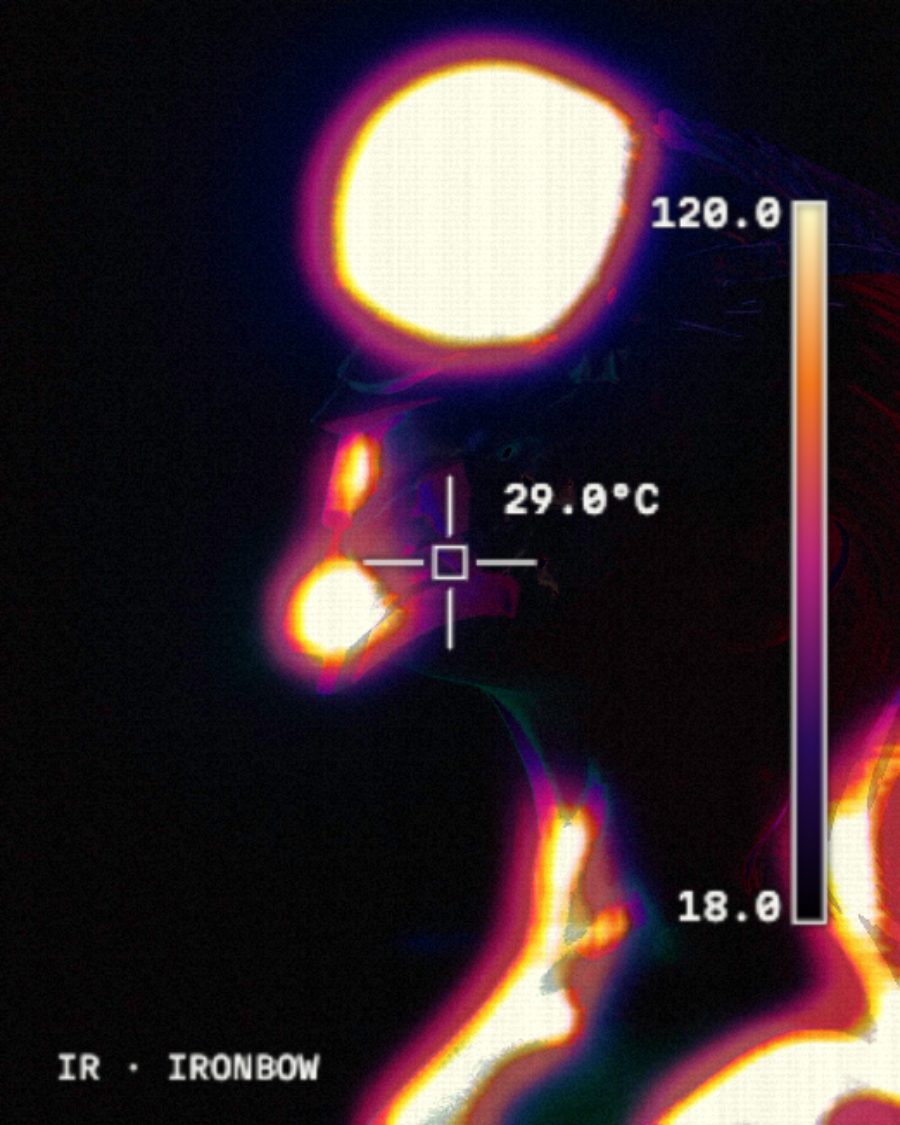
The sample with the Thermal Camera preset. Drag to compare, or press Play with it to tune it live. Open as a shared look
What it's like
Picture a thermal image of a hand on a cold table. The warm shape glows white and yellow, falls through red and purple at the rim, then goes cold. Hot air ripples just off the surface. Heat Edge draws that false-color rim, and it can send a band of heat across the frame that melts the shape as it passes, then lets it cool.
When to reach for it
- Logos and type on a see-through layer. Set Edges of to Shape.
- Thermal camera footage, with the reticle and scale bar. Thermal Camera.
- Looping graphic motion. Sweep sends a band of heat across once a loop, as in Radiant Burn.
- One level picked out in an alarm color. Isotherm, as in Hot Spot Alarm.
How it works
First it decides what's hot. With Light, that's everything brighter than Level. With Shape, it's whatever isn't see-through. It finds the edge of that area, colors it through the palette from cold to hot, and lets a glow spill outward. The Camera section then adds what a real thermal sensor adds, like noise, line patterns, the isotherm and the HUD.
Controls
24 controls in 5 sections, in the order Tune shows them.
Source
- SwitchEdges of
LightShape
What counts as hot. Light is everything brighter than Level. Shape is the layer's own shape, for cut-outs, type and logos.
- SelectFill
HeatOriginalHeat light
What fills the hot area. Heat fills it with the palette. Original keeps your picture and puts heat on the rim only. Heat light colors your picture by its brightness, like a full thermal image.
- KnobLevel
0 to 100 · rests at 25
How bright counts as hot, when Edges of is Light.
- SwitchInvert
OffOn
Flips it, so the dark parts run hot. With Shape, the space around the shape heats up instead.
Heat
- SelectPalette
RadiantIronbowRainbowPlasma
The false colors. Radiant, Ironbow, Rainbow or Plasma.
- Hero knobHeat
0 to 100 · rests at 60
The hero. How strong the glow off the edges is.
- KnobSpread
0 to 100 · rests at 30
How far the glow spreads outward.
- KnobEdge
0 to 100 · rests at 40
How crisp the rim is.
- FaderShift
-100 to +100 · rests at 0
Slides everything hotter or cooler along the palette.
Split
- KnobSplit
0 to 100 · rests at 35
Pulls red, green and blue apart at the edges for a color fringe.
- KnobSplit angle
0° to 360° · rests at 0°
Which way the split pulls.
- KnobPulse
Still to 4×/loop · rests at Still
The heat swells hotter and cooler, up to four times a loop.
Sweep
- KnobSweep
0 to 100 · rests at 0
A band of heat crosses the frame once a loop. Behind it, the shape cools.
- KnobSweep angle
0° to 360° · rests at 270°
Which way the band travels.
- KnobCooling
0 to 100 · rests at 45
How long the heat lingers behind the band. Higher holds the glow longer, lower drops it to dark fast.
- KnobMelt
0 to 100 · rests at 40
Melt. The shape smears along the band's path just as it passes.
- KnobHeat haze
0 to 100 · rests at 25
The air near the edges ripples and rises, like heat off a road. It loops cleanly.
Camera
- SelectHUD
OffReticleScaleBoth
The camera overlay. Reticle puts crosshairs and a temperature reading in the middle. Scale adds the palette bar. Both shows both.
- KnobIsotherm
0 to 100 · rests at 0
Isotherm. Paints one brightness level in a flat alarm color, the way a thermal camera flags a temperature.
- KnobIso level
0 to 100 · rests at 80
Which level the isotherm marks.
- SelectIso color
GreenMagentaCyan
The isotherm color. Green, Magenta or Cyan.
- KnobSensor noise
0 to 100 · rests at 0
Sensor noise that crawls frame to frame.
- KnobScan lines
0 to 100 · rests at 0
Scan lines and faint column stripes, like a cheap sensor.
- Pulse buttonNUC
Momentary · fires and falls back · can be recorded
Press it and the image goes flat gray for a moment while the camera recalibrates, the way real thermal cameras do with a click.
Presets
4 presets. Each one opens in the studio as a shared look. Add it on top of your picture, or save it to My looks.
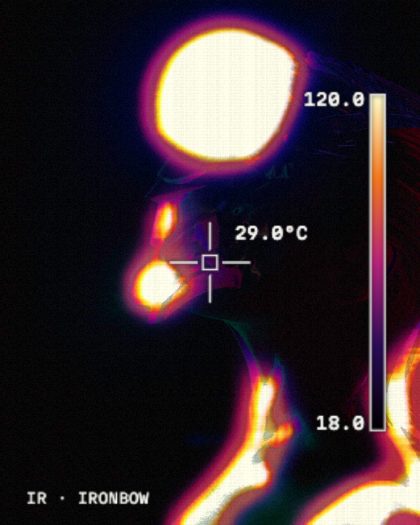 Thermal CameraIronbow with a reticle, temperature readout and scale bar.02
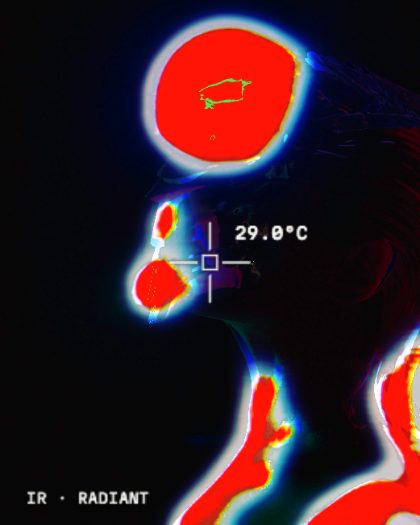 Hot Spot AlarmAnything above the level lights up green.03
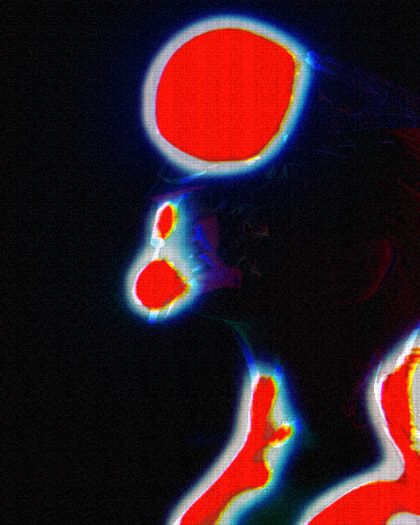 Cheap SensorA noisy low-end thermal sensor with scan lines.04
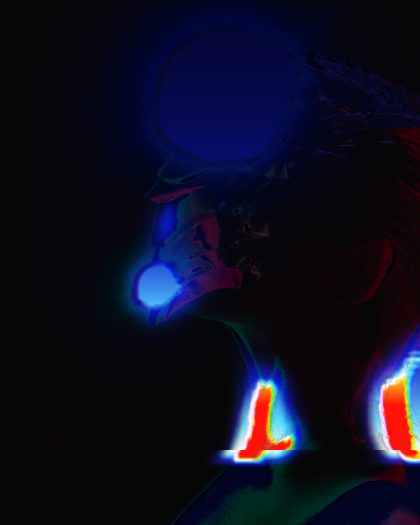 Radiant BurnA heat band sweeps down the shape: it burns red with a white-yellow rim and cyan-blue fringe, melts where the band passes, then cools to dark before the next pass.