
Night Cine
Film · ISO 800 · 3200KNight Cine is motion picture film, balanced for tungsten light and fast enough for the street after dark, shot in a stills camera without the backing layer that stops light bouncing inside it. Every bright light grows a red glow, and your picture takes on the cool, grainy color of a night on film.


The sample with the Night Cine 800 preset. Drag to compare, or press Play with it to tune it live. Open as a shared look
What it's like
Load a roll of cinema stock into a 35mm camera and walk around at night. Under street lamps and shop signs the color holds, the shadows go cool, and every light carries a red-orange halo where it bounced back through the film. Night Cine is that roll. It's also the first roll in the Film family. The roll presets swap in other stocks, and every roll carries the same Light, Darkroom and Scan sections.
When to reach for it
- Night shots, neon and headlights. Bright lights make the halation sing.
- A warm, filmic finish on clean digital video. Add a little Gate weave and it moves like a film camera.
- Lab looks on any roll. Bleach bypass, Expired stock and the Scanner each change the story the film tells.
How it works
Exposure and halation happen first, in linear light, the way light hits the emulsion. Then the stock's own curve rolls the highlights into a soft shoulder and sets its contrast and color. The lab prints it back, and a negative forgives a lot, so over reads as pastel and under as muddy, grainy shadows. Grain goes on last, heaviest in the midtones and shadows.
Controls
21 controls in 9 sections, in the order Tune shows them.
Exposure
- FaderExposure
−3.0 EV to +3.0 EV · rests at 0 EV
Exposure in stops, before the lab. Over goes soft and pastel, under goes muddy and grainy.
- SelectLight
TungstenDaylightDay + 85
What the scene is lit by. The film is balanced for tungsten. Daylight turns it blue-teal. Day + 85 puts the orange correction filter on, which fixes the color and costs two thirds of a stop.
Lab
- FaderPush / pull
Pull 1.0 to Push +3.0 · rests at Box speed
Push develops longer for more contrast, crushed blacks and bigger grain. Pull goes softer and lifted, with finer grain.
- SelectLab
StandardCrispSoftPrintFlat
Who printed it. Crisp is a punchy scan with cool shadows. Soft is gentle with peachy skin. Print is cinema print stock with deep blacks. Flat is low contrast, for grading later.
Format
- SelectFormat
Half frame35mm120Cine 35
The size of the negative, which sets the grain. Half frame is coarsest, 120 is finest.
- KnobGate weave
0 to 100 · rests at 0
The frame drifts in the gate, like a movie camera. It steps at 24 frames a second and loops clean.
Halation
- Hero knobHalation
0 to 100 · rests at 65
The hero. The red glow around every bright light. It warms to orange where the light is strongest, and the light itself stays clean.
- KnobSpread
0 to 100 · rests at 50
How far the glow reaches.
- KnobThreshold
0 to 100 · rests at 55
How bright a light has to be to glow. Higher keeps it to the hottest lights.
- KnobRolloff
0 to 100 · rests at 55
How the print eases into white. Higher lifts the midtones and rounds off the highlights.
Color
- FaderBalance
-100 to +100 · rests at -20
The color balance. Up is warmer, down is cooler. Night Cine rests a little cool.
- KnobFade
0 to 100 · rests at 20
Lifts the blacks to a cool gray and dims the whites, like an old print.
Grain
- KnobGrain
0 to 100 · rests at 35
How much grain. It sits in the midtones and shadows and thins out in the highlights.
- KnobGrain size
0 to 100 · rests at 30
How big the grain is.
Light
- SelectLight source
MatchedTungstenFluorescentSodiumMixed
The light the scene was shot under, as the film sees it. Tungsten goes orange, Fluorescent goes green, Sodium drains the color to a deep orange, Mixed puts green in the shadows and warmth in the highlights.
Darkroom
- KnobBleach bypass
0 to 100 · rests at 0
Skips the bleach and leaves the silver in. Color drains, contrast climbs.
- KnobExpired
0 to 100 · rests at 0
Old stock. The blacks fog, the contrast flattens and the color drifts, with fresh noise on every frame.
- SelectDrift
MagentaCyanGreen
Which way the expired stock drifts. Magenta, Cyan or Green.
Scan
- SelectScanner
LabFlatbedDrum
How the film was scanned. Lab is straight. Flatbed is soft, a little lifted and cool. Drum is crisp.
- KnobScan sharpen
0 to 100 · rests at 0
Scanner sharpening. A little adds bite, a lot leaves bright edges on every line.
- KnobDust
0 to 100 · rests at 0
White specks on the scan, the dust on a negative. Past halfway a hair lands too.
Presets
25 presets. Each one opens in the studio as a shared look. Add it on top of your picture, or save it to My looks.
 Night Cine 800Film · ISO 800 · 3200K02
 Day Cine 400Film · ISO 400 · daylight03
 Portrait 400Film · soft warm skin04
 Portrait 800Film · warm skin, a bit more punch05
 Vivid 100Film · saturated, finest grain06
 Sunny 200Film · warm consumer07
 Everyday 400Film · green shadows, magenta highlights08
 Pastel 400Film · airy mint09
 X-Pro C-41Film · slide in C-4110
 Soft Slide 100Film · soft reversal, calm skin11
 Slide 100Film · clean, faithful reversal12
 Vivid Slide 50Film · vivid reversal13
 Mono 400Film · pushed black and white14
 Press 400Film · punchy black and white15
 Reportage DigitalDigital · muted, documentary16
 True Print DigitalDigital · faithful print17
 Snapshot NegDigital · hard color contrast18
 Color IR E-6Film · false-color infrared19
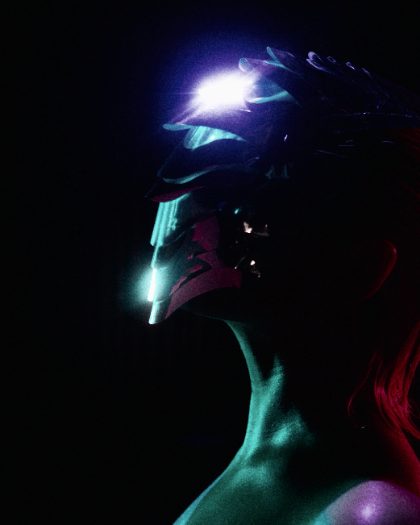 Bleach BypassSilver left in: color drops, contrast climbs.20
 Found RollExpired years ago: fogged blacks, magenta drift, dust.21
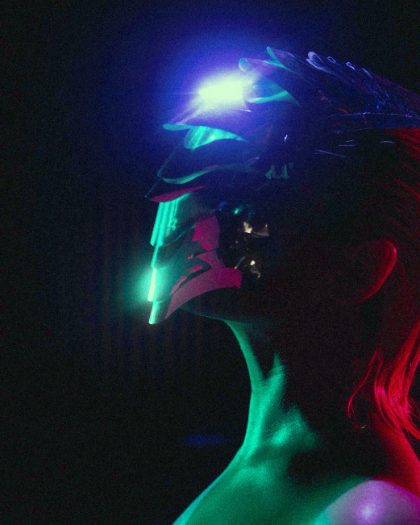 Office LightShot under fluorescent tubes: the green cast film sees.22
 Sodium StreetOrange street lamps: color nearly gone, glow around the lights.23
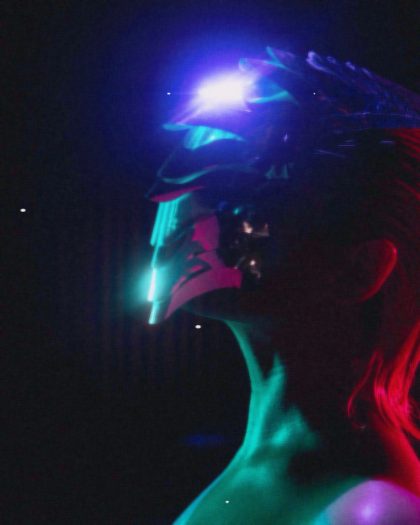 Flatbed ScanHome scanner: soft, a little lifted, a speck or two.24
 Drum ScanCrisp drum scan with scanner sharpening.25
 Expired CyanOld stock drifting cyan.